BLE basics: planning an app for your own device
Bluetooth Low Energy can connect a phone to nearby hardware, but a successful product needs more than a working radio link. Device identity, interrupted operations, platform behaviour and firmware updates all belong in the product brief.
Updated: · tealtap
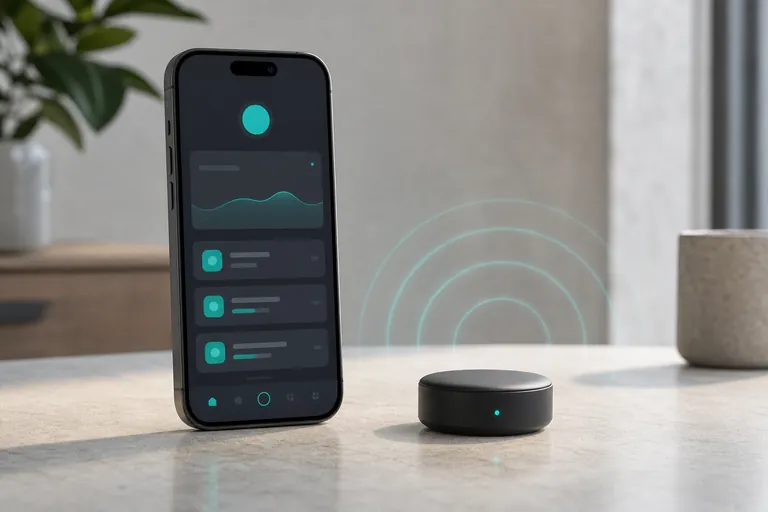
Describe the job before choosing the connection
Start with the action somebody needs to complete beside the device. Reading a stored measurement, changing a setting and continuously watching a changing value create different requirements. Explain whether the phone stays in the user’s hand, whether its screen may lock and whether reopening the app is acceptable. These details determine what should be demonstrated during acceptance, including the circumstances in which the product must ask the user to intervene.
BLE is a local connection rather than an internet service. Remote access needs another part of the architecture, such as the phone forwarding information to a backend or a separate gateway. Decide what should happen when no phone is nearby. A local control panel and an unattended remote monitoring system should not be treated as the same deliverable. tealtap develops IoT/BLE apps, defining the protocol, test devices and hardware responsibilities from the device documentation.
Discovery, connection and pairing are separate decisions
Discovery lets the phone find advertising devices. A connection enables data exchange. Security pairing negotiates protection, while bonding can retain security information for future connections. A BLE product does not always require the user to pair it through the phone’s settings. Agree the intended journey with the firmware developer and explain it in terms of selecting and authorising the correct device.
The interface between app and firmware needs a written contract. Identify the readable values, writable commands, units, data formats, error meanings and protocol versions. Sending a command successfully does not necessarily confirm that a physical action has finished. Define how completion is acknowledged and how the app discovers the outcome after an interruption. This matters especially when repeating an action could have an unwanted physical effect.
Where similar devices are nearby, a friendly name alone may be insufficient identification. Consider a visible device identifier or a physical confirmation process, subject to a security review. Finding a peripheral does not establish that a person is authorised to operate it. Device ownership, shared access and reassignment should be explicit product decisions rather than assumptions hidden inside a pairing screen.
Treat range and battery use as testable requirements
The Bluetooth SIG explains that range depends on the radio configuration, antenna and environment. Avoid making a universal distance promise. Test the finished hardware in representative surroundings and record the conditions. A result from an exposed development board is not automatically evidence for the enclosed product installed in its intended location.
Low energy is a design opportunity rather than an automatic battery life guarantee. Agree how often the user needs fresh information and what may be collected in batches. Evaluate the phone and peripheral separately. Show when a value was last updated, so an old reading cannot be mistaken for a live one. A deliberate freshness requirement is more useful than asking for constant communication without considering its purpose.
Accept iOS and Android behaviour separately
Apple’s Core Bluetooth guidance describes limited background execution, including the fact that declaring a background mode does not allow indefinite running. Android BLE work must also follow the platform’s background work rules. A successful foreground demonstration therefore cannot establish that the same operation will continue reliably with a locked phone. Ask for separate demonstrations of the specific background scenarios your product needs.
Android Bluetooth permission requirements depend on the targeted system version. Use the official documentation for implementation details and design a clear explanation of why access is needed. Test denial and later revocation as normal product states. The operating system allowing Bluetooth access is separate from your product authorising a person to use a particular device.
Document the supported devices and operating systems. Exercise app switching, screen locking, Bluetooth being disabled and movement out of range. A shared mobile codebase still needs checks on each platform. Acceptance should state the conditions under which an operation is supported and when the user must return to the app, rather than promising continuous connectivity everywhere.
OTA firmware updates need their own recovery plan
An over-the-air firmware update changes software on the device; it is distinct from updating the mobile app through a store. The phone may carry the package, but the hardware must provide a suitable update mechanism. Ask how package authenticity, hardware compatibility and sufficient power will be checked. Do not assume that adding an update screen creates these capabilities in an existing peripheral.
Acceptance should include interrupted transfers and recovery. Establish when retrying is safe, whether the previous firmware remains usable and when a service procedure is required. These capabilities depend on the hardware design. Do not promise rollback unless it exists and has been tested. The interface should explain the current state and when the phone needs to remain nearby.
Maintain a compatibility record between app, protocol and firmware versions. A new app release may encounter devices that have not been updated. Preserve representative test devices and agree which old operations remain supported. Version compatibility is an ongoing product responsibility that continues after the first successful update demonstration.
Ask for evidence and ownership at handover
The proposal should distinguish a feasibility experiment, the production app, background behaviour and firmware updating. Request a protocol description, accessible test hardware and acceptance scenarios. Assign responsibility for mobile and firmware investigations, including how the teams exchange useful diagnostic information without collecting unnecessary personal data.
Handover can include a reproducible build, versioned interface documentation, test results and a secure key management process. In an initial enquiry, send a public hardware description and the intended workflow rather than live credentials. A concrete statement of what the device, phone and backend each do makes the next decision reviewable and reduces ambiguity when the product later changes.
Frequently asked questions
Does BLE require internet access?
Local BLE communication does not itself require internet. Cloud synchronisation, remote access and downloading firmware packages may need a separate network connection.
Must users pair through phone settings?
Not always. Discovery, connection and security pairing are distinct. The hardware protocol and security design should define the appropriate user journey.
Can we promise a fixed range?
Use measurements with the finished hardware, supported phones and representative environment. Document the test conditions instead of relying on a universal distance claim.
Will it keep working with a locked phone?
That depends on platform behaviour and implementation. Define the required background scenarios and verify them on real devices rather than assuming indefinite execution.
Can OTA be added to any existing device?
Not necessarily. First examine the device’s update mechanism, authenticity checks and recovery capabilities. A mobile interface cannot supply missing hardware support.
Related reading and services
Connect hardware decisions to the mobile platform, backend and wider product workflow.
Discuss your project
Describe the device, the information exchanged and the behaviour required when the phone locks or disconnects. Mention available protocol documentation and test hardware so the feasibility discussion can address the actual product.