PWA or a store app: which fits the task?
A progressive web app can offer an installable experience while retaining the reach of the web. A store app provides a different distribution and platform integration model. Start with the workflow, then check whether the required capabilities exist in the environments your users have.
Updated: · tealtap
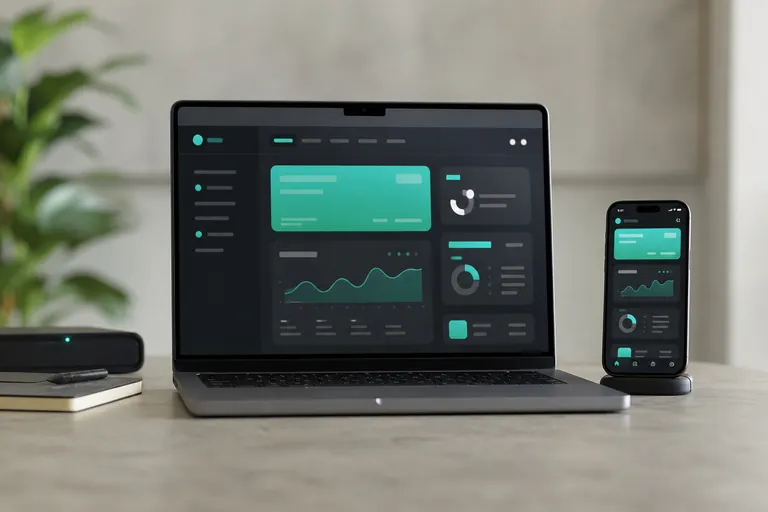
Separate distribution from implementation
A PWA builds on web technology and can support installation and additional browser capabilities where the environment allows them. People can open a link without searching a store first. That can suit occasional tasks, but installation behaviour and feature availability depend on the browser and device. Saving an unsuitable desktop page to a home screen does not make it a good mobile product.
A store app is defined partly by how it is distributed. It may use native development, shared application code or web content within a larger product. Store presence does not itself prove better usability. We develop native iOS apps in Swift and Android apps in Kotlin, as well as Flutter, React Native and PWA applications. We also build backends and APIs, IoT/BLE apps and AI features. We select technology around users, required features and ongoing maintenance.
When a PWA can be a good starting point
Content access, straightforward self service and internal data entry can suit a web approach when the necessary browser features cover the essential workflow. Link sharing and integration with an existing web system can be valuable. The product still needs mobile interaction design, access control and device testing.
Ask whether the core task remains useful if someone declines installation or notification permission. If it does, the constraints may be manageable. If the product depends on those capabilities, investigate them before choosing the approach. Complex offline data handling can also be substantial work on the web, so avoid assuming that a PWA always requires less effort.
Treat notifications as a capability with conditions
WebKit documents Web Push for web apps added to the Home Screen on iOS and iPadOS from version 16.4. An ordinary browser visit should therefore not be treated as equivalent to an installed web app. Check the target system, installation path and permission flow with the people who will use the product.
Explain why notifications are useful before asking for permission. Important status should remain available inside the product when permission is refused or delivery does not occur. Push is not a replacement for a recoverable record of an important business action. Test the onboarding process on devices outside the development setup and make sure installation instructions are understandable.
Offline is a data design problem
Reading a previously opened page is different from creating records offline and synchronising them later. Service workers and local storage can support a web implementation, but they do not define the business rules. Decide what may be stored locally, how current it must be and what happens when a user signs out.
Show the difference between pending, submitted and failed changes. The backend also needs to handle retries appropriately, and conflicting edits may need a resolution rule. These concerns apply to store apps too. Packaging does not solve data consistency. Include interrupted connectivity, reopening the product and unfinished submissions in the acceptance plan.
Do not treat local storage as an unlimited guarantee. Users can remove data and device conditions change. Give people a clear way to check whether important information reached the service. If the work cannot safely continue after local data disappears, that risk belongs in the product decision and the operating procedure.
Check hardware access and background behaviour
The presence of a browser API does not establish that an entire workflow works across target devices. Camera access, location and Bluetooth have different support and permission conditions. MDN identifies Web Bluetooth as having limited availability, so a successful test in one browser cannot justify a general promise of iPhone compatibility.
If the main task requires controlling a device or sustained background work, investigate an installed application as well. It will still be subject to operating system restrictions. Test the actual lifecycle: permission changes, a locked screen, connection interruptions and a later return to the app. Document demonstrated behaviour rather than only listing available APIs.
Compare the constraints you can accept
Use a small matrix of essential workflows and target environments. Involve the people who will support users, since installation guidance, stale versions and synchronisation failures become operational issues. A technically available feature is useful only if the intended audience can reliably use it.
| Need | PWA investigation | Store app investigation |
|---|---|---|
| Access | Link and optional installation | Download and onboarding |
| Notifications | Browser, installation and permission | Platform permission and delivery |
| Offline editing | Storage and synchronisation rules | Storage and synchronisation rules |
| Hardware | Target browser API support | Platform API and lifecycle limits |
| Updates | Web deployment and cache lifecycle | Store release and older versions |
Plan a later store app as a product change
A web starting point can provide useful product learning. Design identity, data and APIs so another client can be added later, but do not promise automatic interface reuse. A mobile application may need different navigation and platform behaviour. Explain how existing users keep their accounts and understand the transition.
Wrapping a website does not guarantee store approval. Assess the app’s functionality and the relevant review requirements, including Apple’s minimum functionality guidance. The transition needs an explicit scope for links, login, platform features and release materials. Keeping the underlying service reusable can help, but the later application remains a separate implementation and acceptance decision.
Run the same acceptance journey in both approaches
Ask a representative user to complete the same task without developer assistance. Include declined notification permission, interrupted connectivity and returning to a previously opened version. Record the observed behaviour and whether the available fallback is acceptable for the real workflow. This is more useful than marking a feature as supported without describing the conditions.
Keep the important checks for later releases. Browser changes, operating system updates and new devices can justify revisiting the supported environment. Make one person responsible for reviewing that scope and communicating any practical limitation to support staff and users.
Frequently asked questions
Can a PWA work offline?
Some workflows can, with appropriate implementation. Storage, synchronisation and error handling must be designed explicitly.
Can iPhone web apps receive push?
WebKit documents support from iOS and iPadOS 16.4 for Home Screen web apps, with the relevant installation and permission conditions.
Can a PWA become a store app automatically?
No. Functionality, platform integration and store review requirements need their own assessment.
Related reading and services
Connect the delivery choice to the core workflow and a realistic plan for expansion.
Discuss your project
Describe how users will reach the product, whether notifications and offline editing are essential, and which devices or hardware it must support. Those details help identify the right technical investigation.